
There's a particular kind of pressure that comes with registry work that most time management advice doesn't account for. It isn't just a full inbox or a long to-do list. It's the weight of abstraction deadlines tied to accreditation standards, case finding queues that never stop refilling, and quality metrics that someone, somewhere, is watching. When the clock and the casework both feel relentless, generic productivity tips about "batching your email" can feel almost insulting.
This post isn't generic advice. It's built around how CSTR and ODS professionals actually spend their days, split across multiple systems, multiple facilities sometimes, and multiple sets of standards that all have their own timelines. The goal isn't to do more. It's to protect the hours where your judgment is sharpest for the work that actually requires it.
Start With the Deadline That Doesn't Move
Every registrar's day already has a hierarchy built into it, whether it's been named or not. Commission on Cancer submission windows, NTDB data deadlines, state reporting cutoffs. These don't flex. The first task of any day should be a five-minute gut check: what has a hard external deadline this week, and does today's plan protect the hours it needs? Everything else, internal requests, non-urgent case reviews, meetings that could be async, gets scheduled around that anchor, not the other way around.
Protect Abstraction Time Like It's a Meeting
Abstraction requires a different kind of attention than answering messages or fielding a facility question. It's detailed, sequential, and unforgiving of interruption. Pull up a case, get pulled away, and you're re-reading the chart from the top when you come back. Treat abstraction blocks as fixed appointments on the calendar, not "whenever there's a gap." Even 90 protected minutes, twice a day, will move more cases through cleanly than three scattered hours chopped up by Teams pings.
Batch the Small Stuff So It Doesn't Eat the Big Stuff
Physician queries, coding questions, status check-ins from facilities. These matter, but they don't all need to happen the instant they arrive. Set two or three fixed windows a day to clear messages and quick requests and let the rest of the day stay quiet. This one shift alone recovers more real working time than almost anything else on this list, simply because it stops the constant task-switching tax.
Build in a Buffer for the Unpredictable
Registry work always has a wildcard: a chart that's missing documentation, a physician who's hard to reach, a system outage at exactly the wrong moment. A day scheduled at 100% capacity has no room to absorb that, so the wildcard cannibalizes tomorrow instead. Leave one unscheduled block each day, even just 30 minutes, as shock absorber space. If nothing goes wrong, it becomes a head start on tomorrow's queue.
Close the Day With a Two-Minute Handoff to Yourself
Before logging off, take two minutes to note exactly where each active case or project stands and what the very next step is. This is the single easiest way to eliminate the slow, expensive re-orientation that eats the first 15 to 20 minutes of the next morning. Tomorrow-you should be able to open the laptop and start working immediately, not spend the first coffee figuring out where you left off yesterday.
Quick-Reference: Five Habits to Protect Your Time
We turned this into a one-page printable tip sheet, five habits, one glance, no scrolling required. Pin it near your workstation or share it with your team.
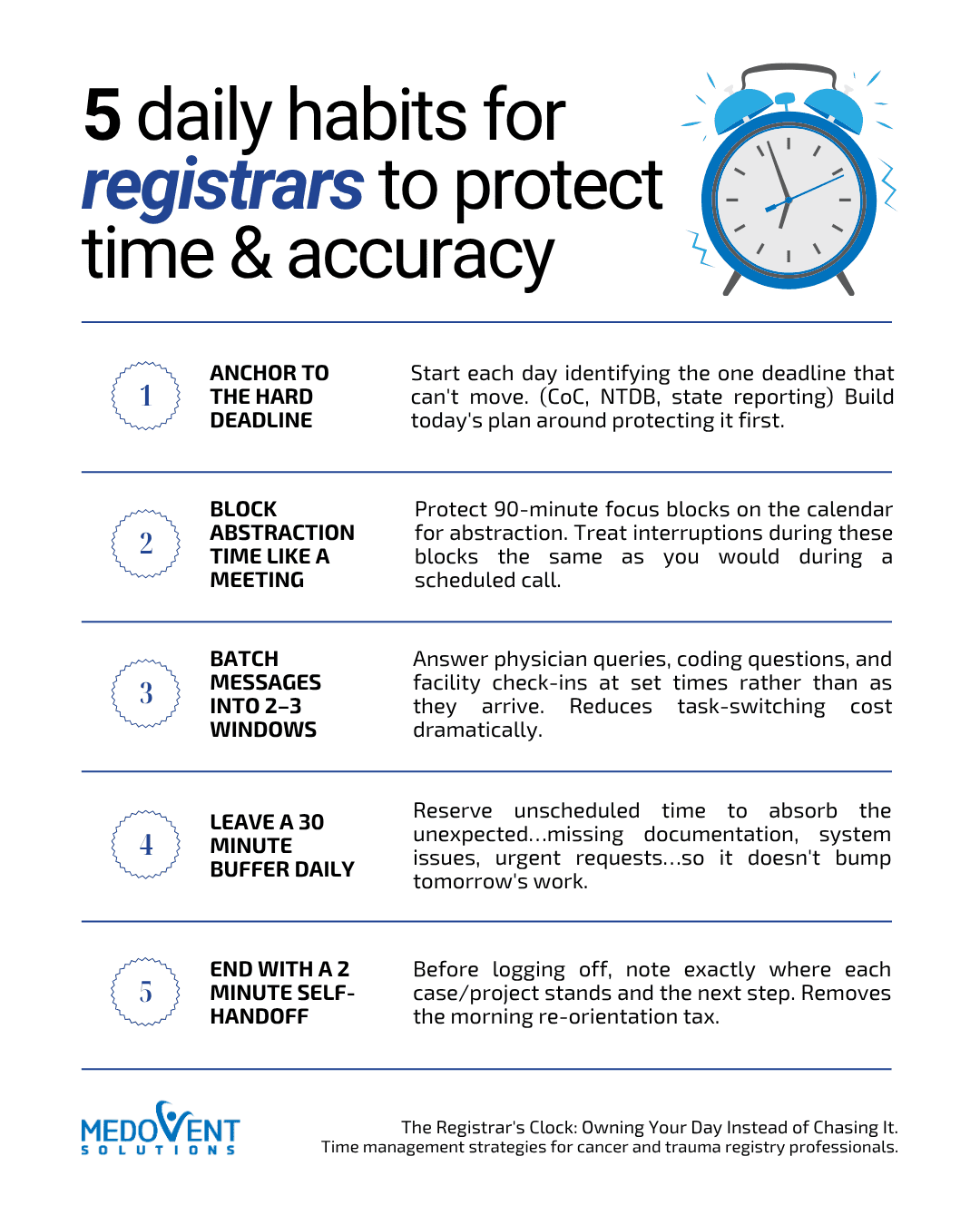
5 Daily Habits for Registrars Tip Sheet
Anchor to the hard deadline, block abstraction time, batch messages, leave a buffer, and end with a two-minute handoff, all on one printable page.
Download the Tip SheetThe through-line in all of this: time management in registry work isn't about squeezing in more. It's about making sure the hours that require your sharpest judgment, abstraction, coding decisions, quality review, actually get protected, instead of being the first thing sacrificed to whatever's loudest in the moment.
Frequently Asked Questions
How do cancer registrars manage a heavy caseload without falling behind?
By working around a hard external deadline first, protecting fixed blocks of uninterrupted abstraction time, and pushing all non-urgent messages into set windows instead of handling them as they arrive. Falling behind is usually a scheduling problem more than a volume problem.
What causes cancer registry abstraction backlog, and how do you prevent it?
Backlog usually builds when abstraction time gets treated as flexible and is constantly interrupted by messages, meetings, and ad hoc requests. Preventing it means protecting dedicated abstraction blocks on the calendar and batching everything else into a few fixed windows.
How do trauma registrars juggle multiple facilities and deadlines at once?
By ranking deadlines instead of treating them as equal: identifying which facility's or agency's cutoff is closest and least flexible each week, then scheduling abstraction and review time around that anchor before fitting in lower-priority requests.
How do I stop getting interrupted during chart abstraction?
Treat abstraction blocks as fixed appointments, not open time, and communicate them the same way you would a scheduled call: status set, notifications off, and messages routed to a batch window instead of being answered in real time.
What's a realistic daily schedule for a cancer or trauma registrar?
A workable structure is: a five-minute deadline check to start, two 90-minute protected abstraction blocks, two or three short windows for messages and queries, one 30-minute unscheduled buffer, and a two-minute handoff note at the end of the day.
How can registrars avoid missing Commission on Cancer or NTDB deadlines?
Start each day by checking what's due that week against CoC, NTDB, or state reporting timelines, and build the day's schedule around protecting the hours those deadlines need, rather than fitting deadline work into whatever time is left over.